iLauncher for OS is a communication apk for Android & iOS users. iLauncher for OS13 is a launcher based on the Launcher3, it is very small, powerful and smooth. Using OS 13 flat design to make the interface more cool and beautiful.
It can completely change the appearance and operation of your phone, giving you an unprecedented experience: simple, elegant, modern!
iLauncher is under developing in 2017 for the new coming Phone X. It is the best launcher for Android users who want the experience Apple Phone with Android. With iLauncher, you will be able to customize your android phone theme to make it looks like OS 13.
More Android & iOS Apps:
- KAFE VPN – Fast & Secure VPN Apk Download
- FoxFi (WiFi Tether w/o Root) Apk Download
- Sync.ME – Caller ID, Spam Call Blocker & Contacts Apk Download
- JusTalk Kids – Safe Messenger Apk Download
- Zoiper IAX SIP VOIP Softphone Apk Download
- Hutch App Apk Download
- Tawasal SuperApp Apk Download
- Mood SMS – Custom Text & MMS Apk Download
- FolderSync Apk Download
- ZTELink Apk Download
About iLauncher for OS – Theme, Icon Apk & Features
FEATURES:
Fast Control Center
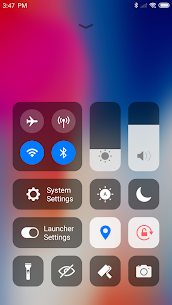
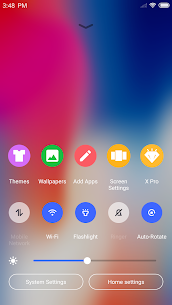
We support Two types of control centers, One is the OS style by default and one is classic style, you can change it in Launcher settings.
Swipe down to open Control Center; Set WiFi, Network, Brightness, Volume, Take Photo quickly.
Various Themes
We offer thousands of themes in theme store, which can bring you a smooth interface like OS 13 like experience.
We also custom icon pack for popular apps to OS Style.
Latest Wallpaper and Icon Sets
We design a Wallpaper Center to provide various wallpapers, support rich icons for Phone X and give you a comprehensive experience.
Powerful App Manager
Swipe up to open App Manager; Find local apps and drop them to the desktop quickly.
Apple Style Folder
We design an IOS Style Folder, you can drop an app to another to create a folder.
Weather and Time widget
We provide a Weather and Time widget in the left screen page.
Hide Apps
Hide important apps from the home screen. It’s a very sophisticated approach to open and hide your apps.
Customizable
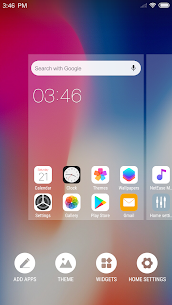
Decide for yourself the number of rows and columns of your launcher. You can also change the label of each app and replace the icon with your own image.
3D Touch
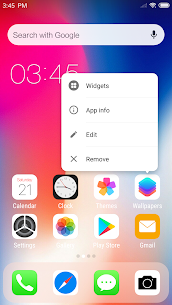
We provide a convenient 3D Touch menu the shortcut, You can easily modify the title, add widgets, go to the app details page, etc.
Screen Locker
Double tap on the desktop to lock screen, you need to install a Locker plugin app.
Less Permissions
We are very concerned about privacy, It will not ask for a permission until the feature that needs it is actually used.
We request Storage permission to save downloaded themes and wallpapers, to get the wallpaper currently used by the android system.
We are working hard to add new features. New features will be added step by step in the future release, and welcome to provide feedback.